Give your
organization its own AI


Trusted by








Is Your Sensitive Data Leaking Into Public AI Models?
Public AI tools aren't built for enterprise security. They train their algorithms on your private inputs, creating risks you cannot afford.
Sensitive Data Exposure
Every document your team uploads to public tools could be used to train their models.

No Access Control
You have no visibility into what employees are asking or what data is leaving your organization.

Unverified Answers
General AI often misses the nuances of local Arabic business context, leading to errors.

Unpredictable API Overhead
Inefficient prompts and unoptimized models lead to unpredictable API bills.

AI Performance Designed for Professional Standards
Give teams reliable access to institutional knowledge and current information within a secure, governed environment.

Enterprise-Grade Privacy
Your data remains on local Saudi servers with end-to-end encryption and automated PII masking to safeguard sensitive information.
Instant Institutional Memory
Upload your PDFs and docs once; let your entire team query them instantly for answers.
Multimodal Interaction
Seamlessly switch between text and Voice Mode, with the ability to listen to audio versions of AI answers.
Native Arabic Intelligence
High-quality, culturally relevant responses that don't need manual correction.
Full Governance
Monitor token usage, set granular permissions, and access full audit logs from one dashboard.
Everything Your Teams Need to Work with AI
designed to help every team search, create, automate, and get more done.
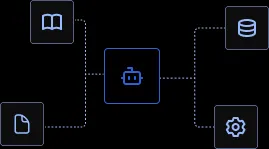
Custom Agent
Create dedicated AI agents tailored to each team's work
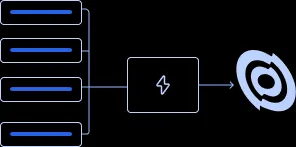
Actions & MCP
Connect to your systems to retrieve data, trigger workflows.
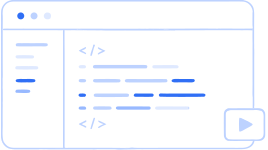
Code Execution
Run code securely for analysis, calculations, and file processing

Image Generation
Create visuals from prompts without leaving your secure workspace
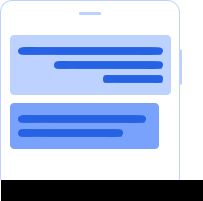
Mobile App
Access conversations, your work, knowledge, approved agents, and voice through a secure & fast mobile experience.
From Your Requirements to a Working AI Solution
We start by understanding your teams, data, workflows then design solution to get your team working smarter, faster.
Branded & Secure Deployment
Secure your Custom Domain and invite your team to a workspace that reflects your company branding.
Sync Your Knowledge
Securely upload your company's private documents or connect via API.
Work Smarter
Your team chats with a private AI that knows your specific business data.
Maintain Control
Monitor usage and refine access permissions in real-time.

Secure.Governed.Sovereign.
Local Compliance
Native support for SDAIA/NCA data residency via our secure Saudi-based servers.
Zero-Training Privacy
We provide a strict guarantee: Your data is never used for training.
Governance at Scale
Detailed logs, PII Masking, and oversight tools to keep your AI usage audit-ready.
COMMON QUESTIONS
Direct answers about how the platform works
How do custom AI agents work inside Seamless Enterprise?
Every custom agent your team builds is docked to a specific, named set of sources — internal documents, connectors, or knowledge bases your organization has explicitly enabled for it. Nothing is available by default: before any agent can read a file, query a connector, or execute a task, an administrator has to turn that capability on for that role. When an employee asks a question outside an agent's approved scope, the agent says so plainly — "I don't have that source" — instead of quietly blending in data it was never meant to touch. That boundary is enforced at the platform level, not left to the agent's own judgment, so behavior stays predictable as your team adds more agents over time. Every answer an agent gives also carries a record of who asked and which source was opened to answer it, so your governance team can audit usage the same way they'd audit any other internal system, without extra tooling.
What can the platform actually connect to, and how is that access controlled?
Seamless Enterprise connects to the tools your teams already use — Google Drive, internal REST APIs, curated knowledge bases, and your organization's email — through a named set of connectors, with more, like SharePoint and Calendar, on the way. None of that access exists by default: every connector is off until an administrator turns it on, and each one stays scoped to the specific files, folders, or endpoints your organization decides to expose. Every request — from an employee, an agent, or a workflow — passes through a single gate before it can reach a model or a connector; nothing gets through by promise, only by explicit configuration. Every enablement, denial, and approval leaves the gate as a structured event, exported straight into your own SIEM or audit archive, so connecting a new system to your AI layer never means losing visibility into what it's actually allowed to touch.
Is it safe to let an AI agent run code against our data?
Code execution inside Seamless Enterprise runs under the same governance model as every other capability on the platform: nothing executes until your organization has explicitly enabled it for a given role, and every run is recorded in the same audit register your security team already uses to review other activity. Your organization also chooses where that execution — and the data it touches — actually lives: in an isolated tenant on our trusted cloud, inside a private cloud environment, or fully on-premises, depending on your compliance requirements. Data stays encrypted both in transit and at rest, and access follows least-privilege by default, so a workflow that runs code to analyze a spreadsheet or process a batch of files only ever touches the inputs it was explicitly given, never your organization's broader data estate. That's what lets teams use code execution for real analysis and file processing without treating it as a special-case security exception.
Where do the images our team generates actually get created and stored?
Image generation runs inside the same secure workspace as the rest of your team's work — the same environment where conversations and shared threads already live — rather than routing prompts out to a separate, unmanaged tool. That means the deployment choice your organization already made for the platform (trusted cloud with tenant isolation, private cloud, or on-premises) governs image generation too, with the same encryption in transit and at rest, and the same least-privilege access rules. Nobody outside your organization's enabled roles can generate or view images through the workspace, and the activity is captured in the platform's audit register alongside every other action, so creative output doesn't become a blind spot in your governance model. Teams get a fast way to turn a prompt into a visual without leaving the workspace, or your security posture, behind.
What can employees actually do from the mobile app?
The mobile app gives your team the same permissioned experience they get on desktop, not a stripped-down copy of it: conversations, ongoing work, knowledge search, and the specific agents your organization has approved for their role, all in one place. Employees can switch between typing and Voice Mode mid-conversation, including listening to spoken versions of an agent's answers, which matters for anyone working on the move rather than at a desk. Because knowledge access on mobile follows the same role-scoped retrieval model as everywhere else in the platform, an employee only ever sees the sources and agents their role already grants them on the web — nothing opens up just because the device changed. That consistency is what makes the mobile app safe to roll out broadly: your organization's enablement decisions travel with the employee, whether they're at their laptop or in the field.
Built Around Your Organization
“Every organization has different data, workflows, and risk requirements. That is why we design the AI solution around the organization, not the other way around.”

Build Your AI Solution
Build the AI Your Organization Actually Needs